Meter any tab, instantly
Capture whatever's playing, from a private stream to a client preview, and read true LUFS without leaving the page.
Live meter · Free Chrome extension
Read real-time integrated, momentary and short-term loudness, plus true peak and stereo correlation, on any audio playing in your browser. 100% free.
Works with
 Chrome
 Brave
Brave
 Edge
Edge
 Orion
Orion
5.0 on the Chrome Web Store ITU-R BS.1770 / EBU R128
 Live LUFS by mastering.to
mastering.to
LIVE METER
Live LUFS by mastering.to
mastering.to
LIVE METER
Live preview · simulated signal
Meter anything that plays
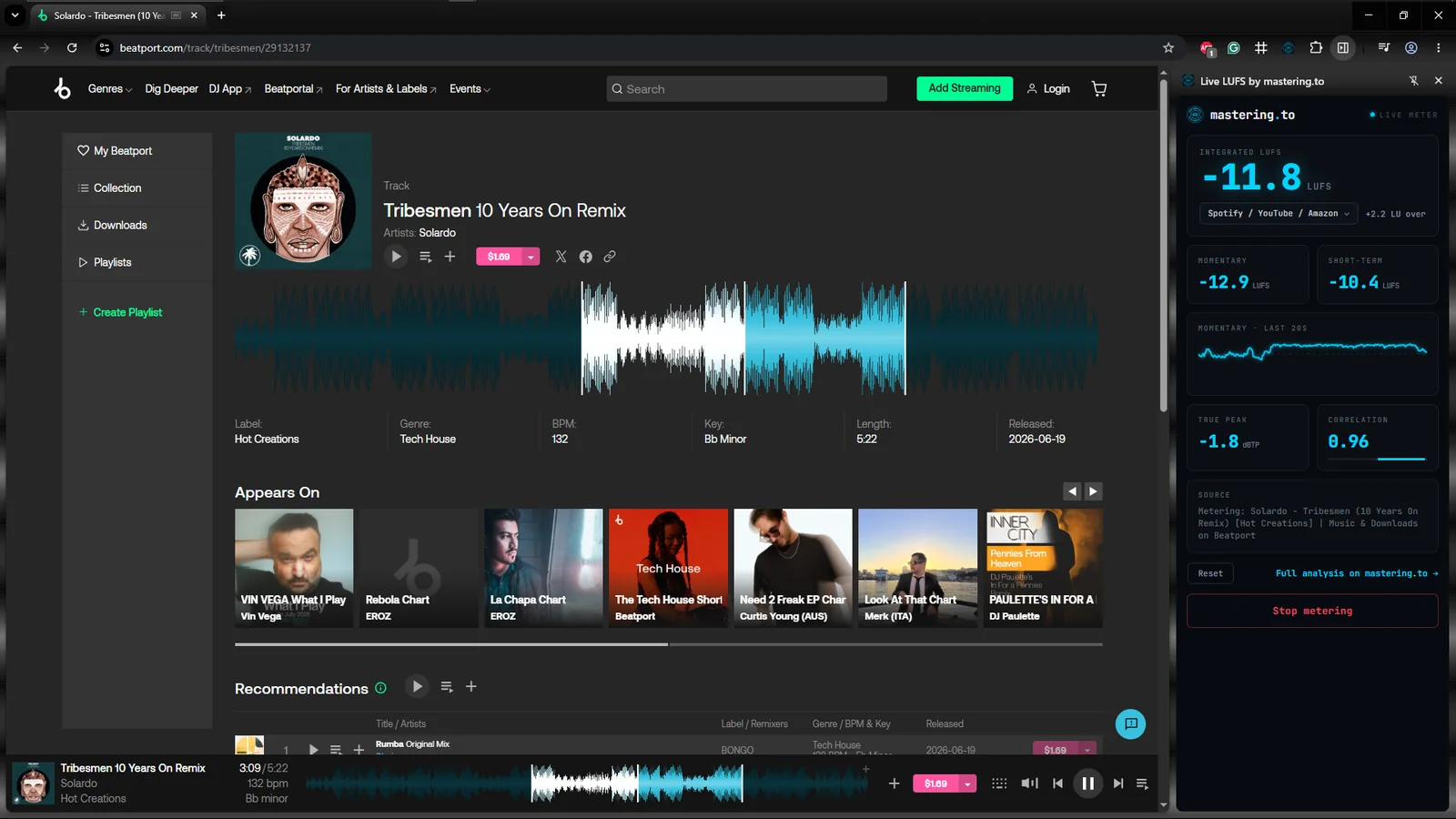
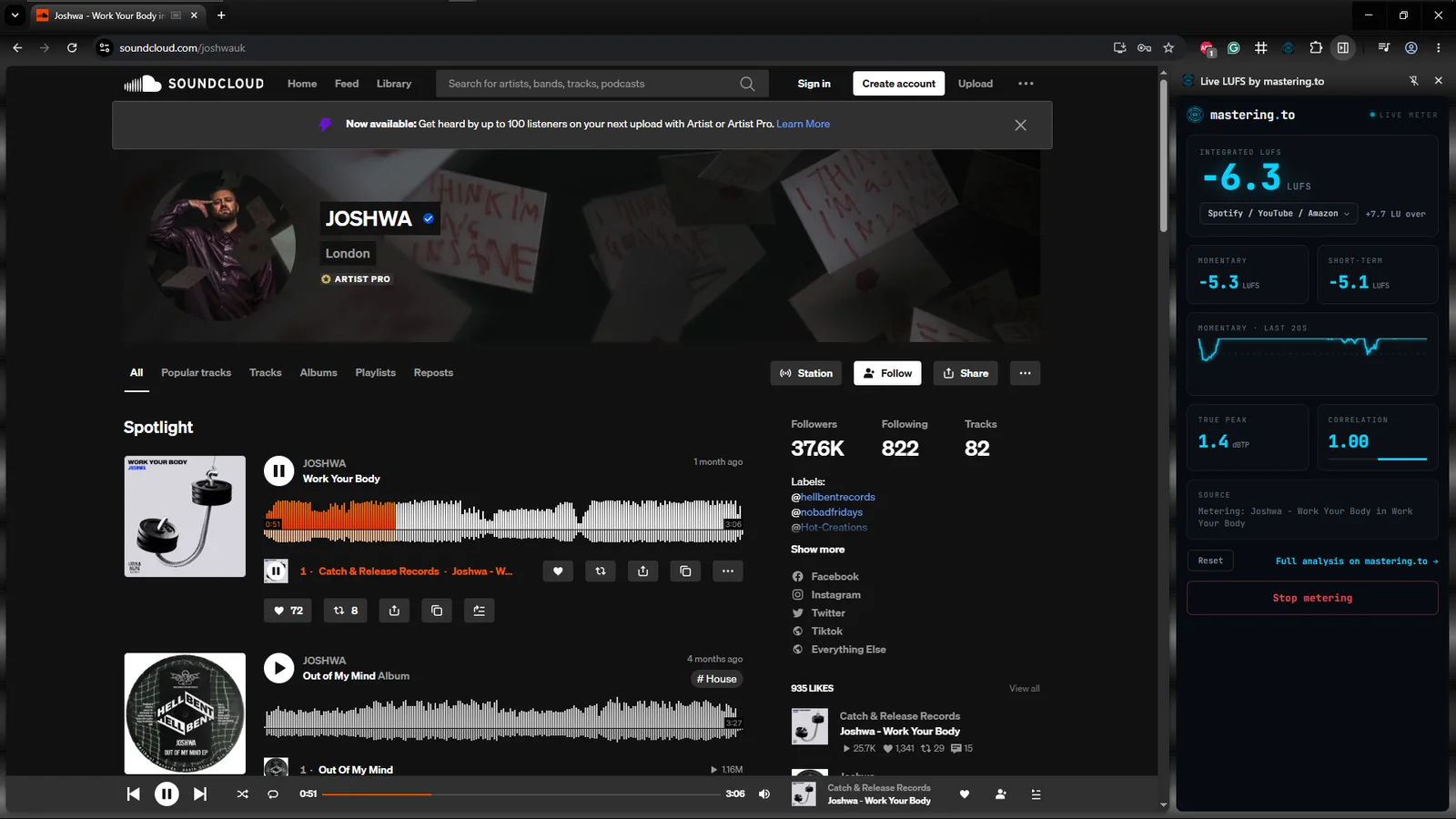
Open the side panel on any tab and read true loudness in real time. A SoundCloud private link, a Bandcamp preview, a Beatport clip, a client's WeTransfer bounce, a YouTube reference. No fuss, no muss, just meters where you need them.
What you get
Capture whatever's playing, from a private stream to a client preview, and read true LUFS without leaving the page.
The full ITU-R BS.1770 / EBU R128 set. Watch integrated settle while momentary and short-term track the moment-to-moment energy of the mix.
Switch between Spotify, Apple Music, Tidal, Deezer, club and broadcast targets. Your over or under shows in LU at a glance.
Catch inter-sample peaks before lossy codecs clip them, and keep phase correlation in view so your low end stays mono-safe.
A rolling 20-second graph shows how loudness moves, so pumping, over-compression and quiet intros are obvious at a glance.
Metering runs entirely on your machine. Nothing is uploaded, recorded or sent anywhere. The same browser-only philosophy as mastering.to.
Up and running in seconds
Install from the Chrome Web Store in one click. It sits in your side panel, out of the way until you need it.
Play the audio you want to check, then open the Live LUFS side panel next to it.
Numbers begin the moment audio plays. Get LUFS on the fly, from any source you need.
Reference
Check levels against platform targets at a glance.
Every number, explained
Private by default
Live LUFS measures the audio locally, on your own machine. There is no upload, no recording, and no account. Nothing about what you play is stored or sent anywhere. The extension asks only for the permission it needs to read the tab you point it at.
Questions
Yes. It's completely free on the Chrome Web Store. There's also no advertising and zero tracking. It's a companion to the full mastering.to analyzer.
It installs from the Chrome Web Store and runs in Chrome and other Chromium browsers, including Microsoft Edge and Brave.
No. All metering happens on your own machine, inside the browser. Nothing is recorded, uploaded or sent to a server.
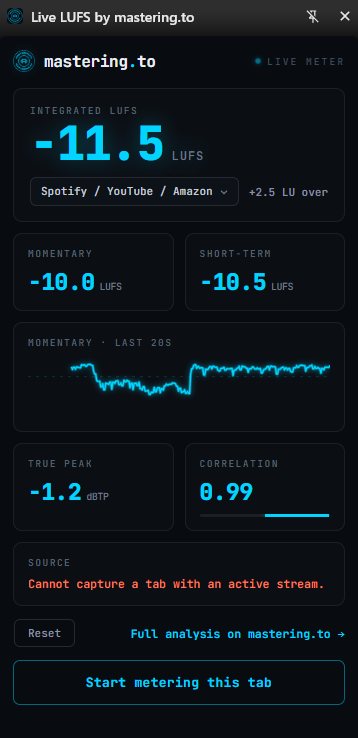
If a tab is already streaming audio when you open the panel, Chrome can occasionally block the capture. Start metering before playback, or reload the tab and press start again, and it picks the audio straight up.
The same ITU-R BS.1770 and EBU R128 algorithms as the full mastering.to analyzer, including gated integrated LUFS and true peak with oversampling.
The extension is for live monitoring while you listen to any tab. The mastering.to analyzer is for deep analysis of a finished file you upload, with dozens of additional tools.
Free, private, and always one click away.